
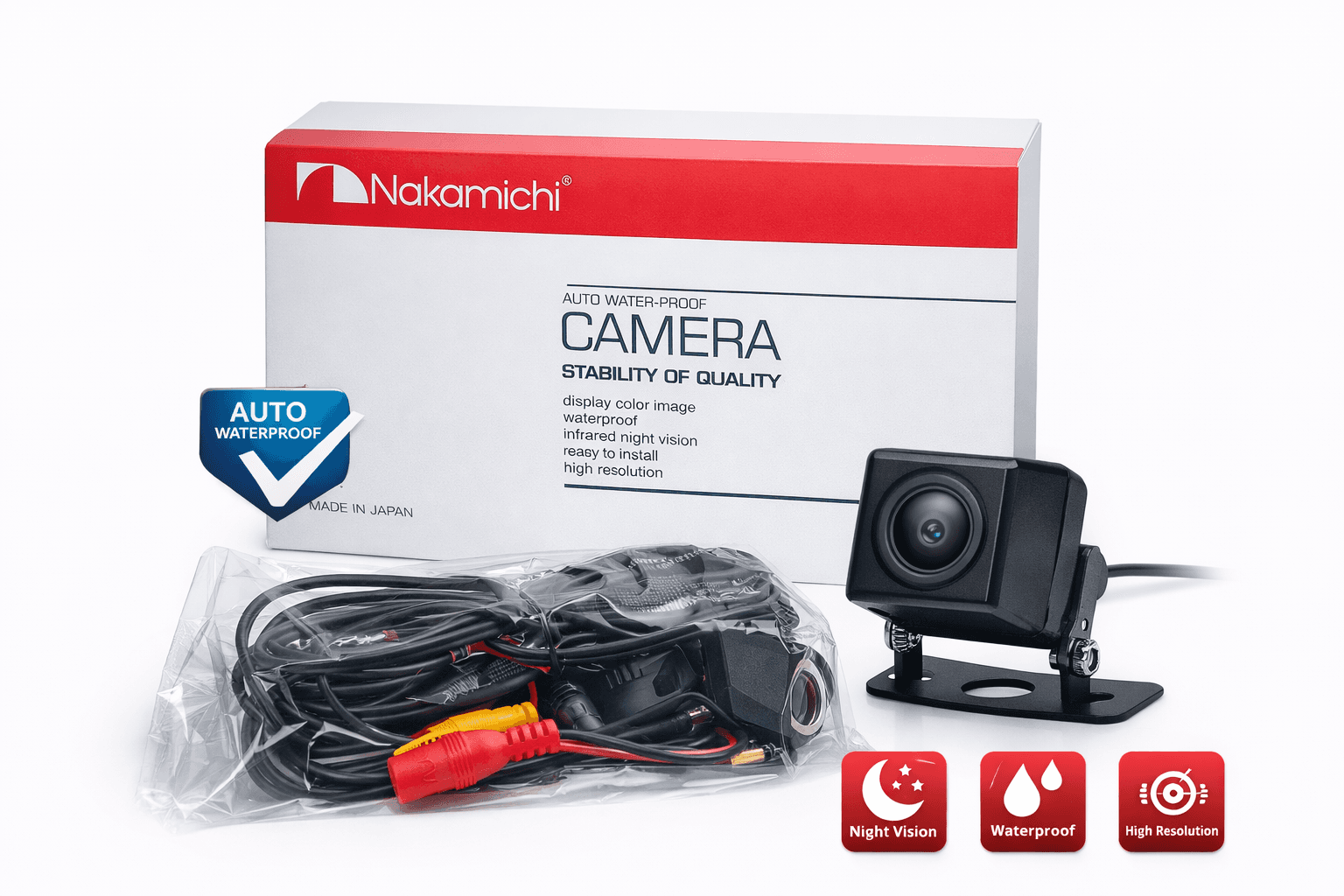
Universal Backup Camera
Includes all applicable Sri Lankan taxes. Islandwide delivery calculated at checkout.
Product Overview & Specifications
While exact specs vary by the specific "mod" or version, these cameras generally feature:
Resolution: 720p (AHD) or 480-600 TV Lines (CVBS).
View Angle: 140° to 170° wide-angle "fisheye" lens.
Waterproof Rating: IP67 or IP68 (Dust-tight and protected against long-term immersion).
Night Vision: Minimum illumination of 0.1 Lux, often with infrared LEDs or "Starlight" low-light sensors.
Power Supply: DC 12V (Standard vehicle power).
Operating Temperature: -20°C to +70°C.
Installation Instructions
Most universal backup cameras follow a standard 4-step wiring process:
1. Mounting: Secure the camera near the rear license plate using the provided bracket or adhesive.
2. Powering (Reverse Light):
Locate the Positive (+) and Negative (-) wires of your car's reverse light.
Tap the camera's power wires into these. This ensures the camera only turns on when you shift into Reverse.
3. Routing the Video Cable:
Run the long RCA video cable from the trunk to your dashboard monitor (usually under the floor mats or door sill panels).
If the cable has a short red trigger wire, connect it to the "Reverse Trigger" wire on your head unit/monitor.
4. Connecting to Display: Plug the yellow RCA jack into the "Camera In" port on your monitor.
User Guide & Maintenance
Automatic Activation: The camera will automatically display on your screen when the vehicle is in reverse.
Parking Guidelines: If your camera has built-in lines, ensure it is mounted level. Some models allow you to cut a small "loop" wire on the camera harness to disable these lines.
Cleaning: Use a soft microfiber cloth to clean the lens. Avoid high-pressure power washers directly on the lens, as this can eventually compromise the seals.
Troubleshooting:
No Image: Check the reverse light connection and the fuse on your head unit.
Flickering: Ensure the Ground (-) wire is attached to clean, unpainted metal.
Product ID: ES-2002